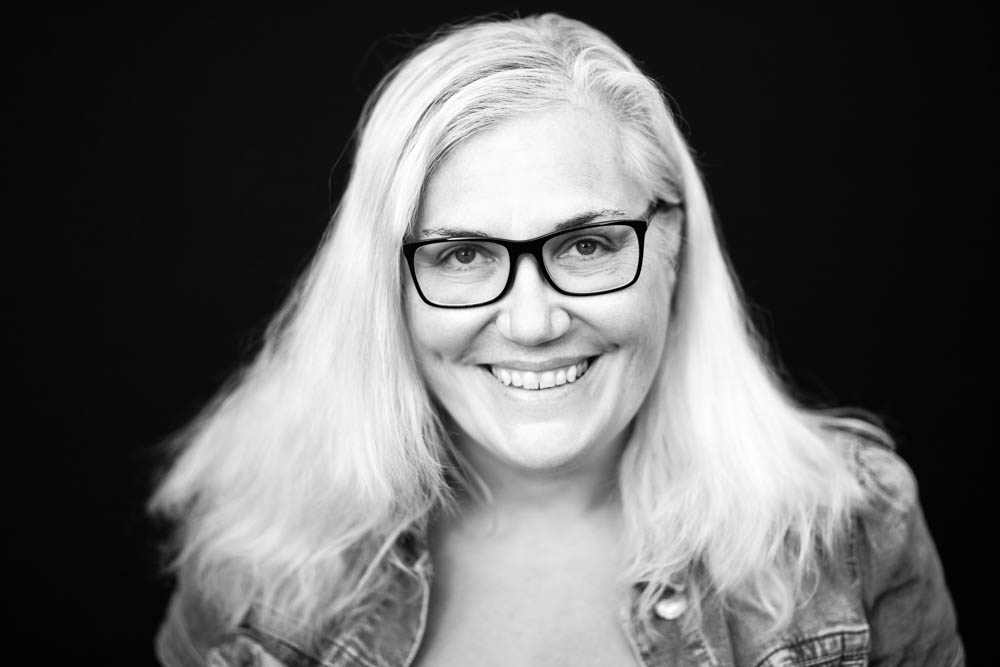
The Opening of the Film Archives – Kate July 2016


I am a father.  I am the father of a son, and have been for the last 25 years.  I am a father.  I am the father of a daughter, and have been for the last 14 years.  I am a father.  More traditional than modern, but definitely a doting and loving father of both children.  I am a photographer.  Both children have had multiple photos taken of them over the years.  However, the subject of bedtimes has always been contentious.  They say you have to be rigid and follow an established routine.  They say that for the good of the children you have to respect this routine to the letter.   They are obviously not parents.  They are obviously completely disconnected from reality.  They obviously have their heads buried so far up where the sun don’t shine.

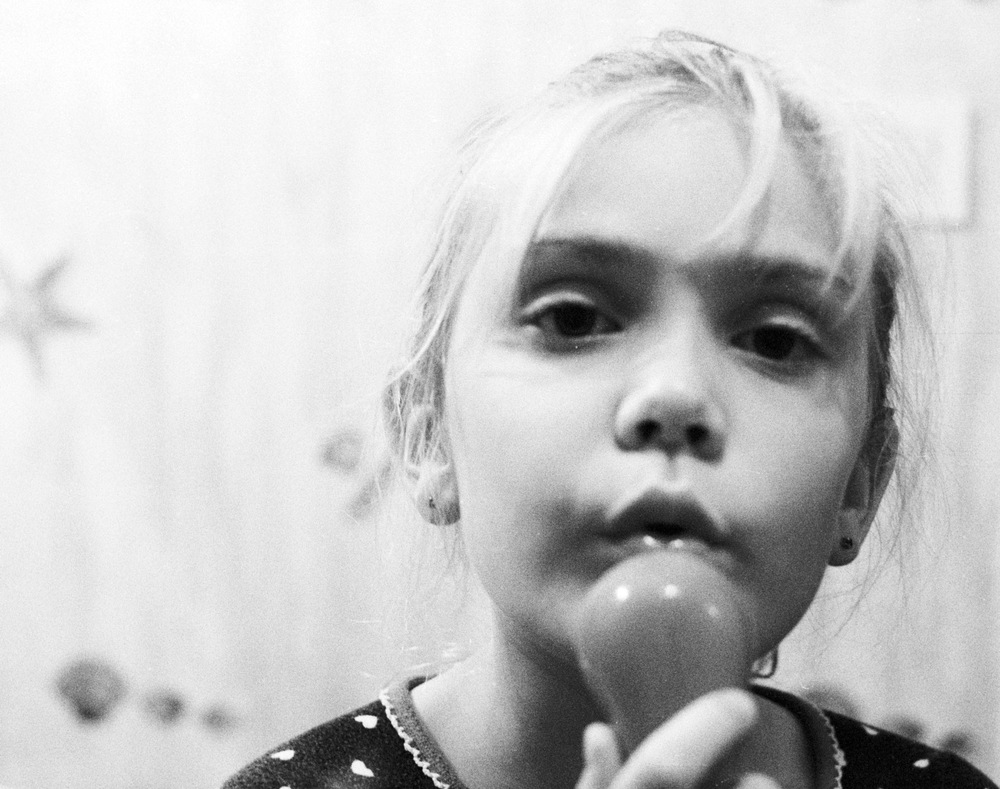
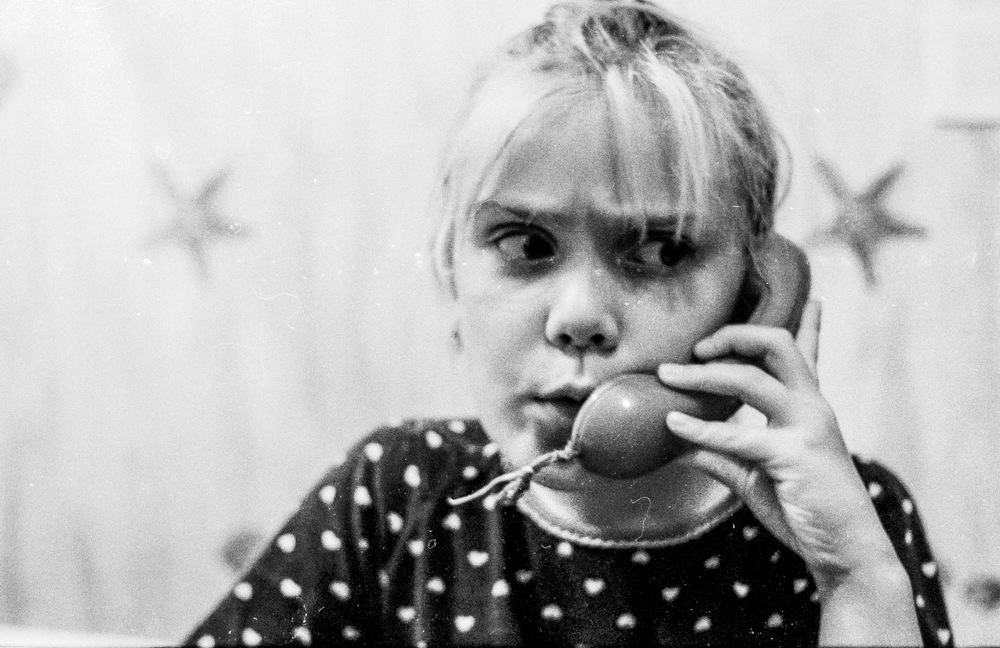
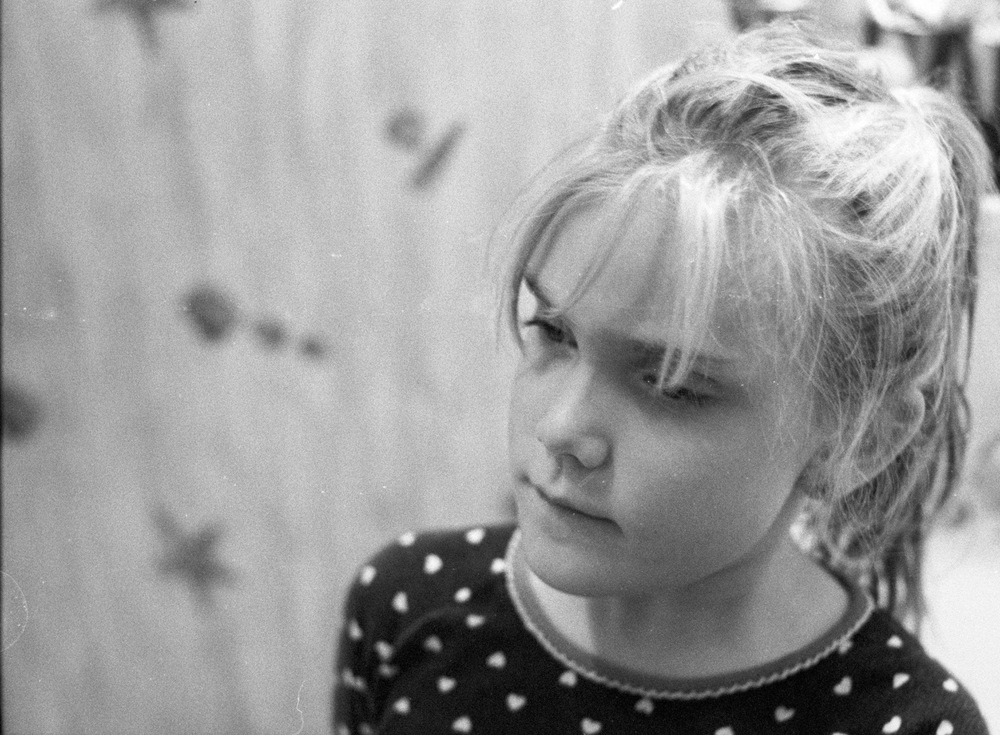
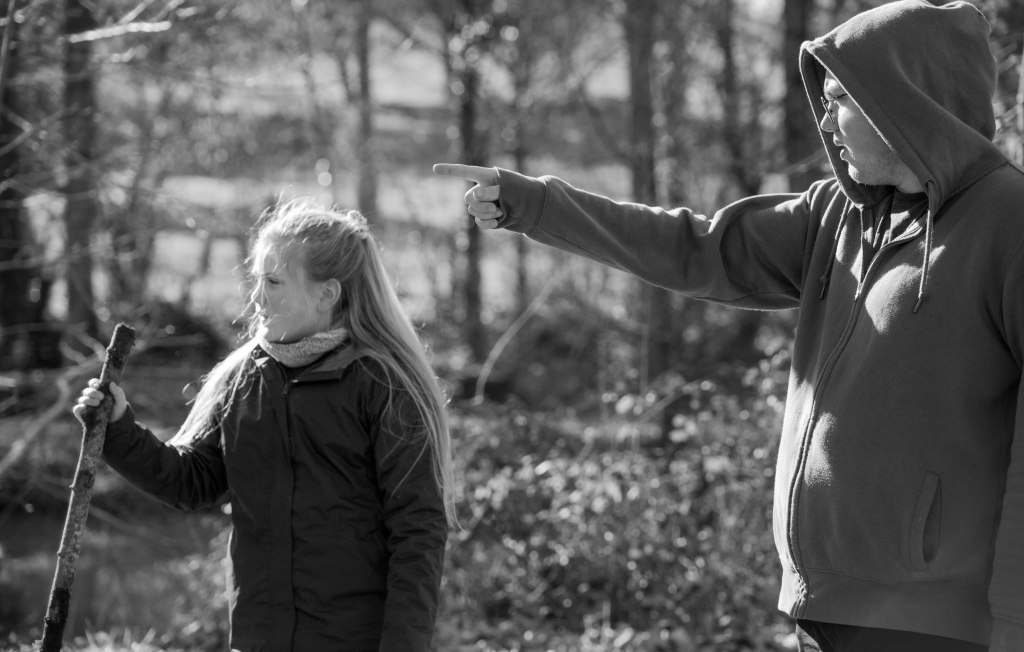
As a father, I’ve learned the importance of picking your battles, especially when it comes to bedtime routines. This particular night, with my 7-year-old daughter wide awake, a fight wasn’t the answer. So, I grabbed my Praktica MTL3, loaded some HP5 pushed to 1600, and turned a potential meltdown into an improvised photoshoot. We ended up in the bathroom – because teeth brushing was still non-negotiable – but the resulting photos captured a moment of pure magic.

Let’s talk about technical details: the Praktica MTL3 is the model that I learnt my craft on.  It’s solid.  It’s fully manual, and gets the job done admirably.  The lens is an F1.8 Pentacon 50mm, with a lovely depth of field.  I pushed the HP5 to 1600 to be able to take advantage of all the available light.  

Kate posed for me and thoroughly enjoyed herself.  Teeth brushing.  Calling somebody very important on the Fisher Price telephone.  And pulling a face to tell me off.  Some things just don’t change…

Photography is not the technique or the camera, or worse still, the settings used.  It’s about capturing that “Kodak moment” albeit with Ilford HP5.  It’s about the shared memories.  It’s about the nostalgia of looking back on family life that can never be recaptured.  It might seem mundane to you, but to me it’s priceless.  And looking back at these family photos, it just reminds me how much I love both my children, and am fortunate enough to have captured these fleeting instants.

Optimizing Images On-the-Go: Mobile Photography Editing Guide


Introduction

As the title suggests, I will describe my workflow when out and about. While there are surely other ways to do it, this is my method. It works and has stood the test of time. I usually wander around taking photos, then find a café to sit down and transfer my images to my phone. Everything is better with a nice cup of tea (or coffee) and a piece of cake.

Downloading Photos to Your Phone

Most cameras today can connect to phones via Bluetooth or Wi-Fi. My two Fujis (X100F and XT2) and my Canon (6D Mark II) certainly can. I enable Wi-Fi on my camera and connect it directly to my phone. Next, I open the corresponding app—Canon Camera Connect for my Canon and Fujifilm Camera Remote for my Fujis. Each manufacturer provides its own app for Android or Apple devices. Once the camera is connected to my phone, I can import my photographs, selecting the images I prefer.

Sorting Photos

Now comes the fun bit: sorting through all those wonderful shots you took and deciding which ones are worth working on and editing. When I transfer my images from my camera to my phone, the phone creates a folder for the imported photos. Different apps will put them in different places, so I’ll leave that to you to manage. As a rule of thumb, you will see them in the gallery app, which will show you your latest photos.

In the gallery app, you can sort your photos by date taken, favourite images, or the place where the photo was taken.

I will assume you have read my last few articles on Photography 101, composition, and the types of lenses available and how to use them, or at least how I use them. If you haven’t had that pleasure, then go and have a read…

Is the photo worthy of publication, and are you happy with it representing your talent as a photographer? Is the image in focus? Is the image well exposed? Does it fulfil its storytelling role? Will it add to your narrative? Or simply, do you like it enough to want to share it?

Let’s assume that you answered yes. You then get to share your image to Snapseed.

Editing in Snapseed

Starting with Styles:

I like to begin by using the “Portrait” style. It is a preset that gives the photo a subtle glow and some vignette. I just seem to like it, and when you have something you like that flatters your image, you are tempted to stick with it. Most times, this will work a treat on well-exposed images. But let’s imagine that you have exposed for the highlights and that your shadows are “too dark” and you want to bring them up a bit. Then I would go to the “Tools” section and use the Tune Image.

En aparté:

When exposing in digital photography, we expose for the highlights, as it is easy to lighten, or “bring up” the shadows, and we don’t want to “blow out” our highlights and just turn it into a mass of white. In film photography, it’s the opposite. We expose for the shadows, as film has more difficulties capturing details in the shadows especially in a photo with lots of light.

Using the Tools

As I inferred in the title, this is my workflow, and shows the way I use Snapseed. There’s a whole load of tools to stylise your image and to completely change the look of it, but I’m more of a “less is more” disciple when editing. Also most apps out there will have similar tools, so you can carry this knowledge with you across the board.

Crop Tool:

One thing I learnt early one is to KISS, i.e. Keep it simple stupid. Sometimes I will have an element in my photo that distracts from my subject. With the crop tool I can just crop the image and make it disappear. I can also use the crop tool to format the image to fit certain social media post settings. I’m thinking about you Instagram and Facebook. Try searching google for social medi formats and you will be inundated with results.

Healing Tool:

Sometimes the crop isn’t enough to take away distracting elements from our photo. You might have a beautiful shy and want to get rid of that Jumbo Jet in the sky. One way of doing that is to wait until the Jumbo Jet has flown away, but let’s say that it’s too late… Using the healing tool will clone part of the image and replace the Jumbo Jet that just wants to noticed and validated man! To get the best results it’s better to zoom into the image and have a smaller area to work on.

Tune Image:

This is where I do the basic edits, bringing up the shadows or bringing down the highlights. I usually keep it to that. At a push, I will bring up the brightness if the photo has been underexposed. Somtimes I will add a little contrast but I tend not to use the other tools. I don’t want to denautre the photograph.

Rotate Tool:

We should always try and keep our horizons straight, except when making the conscious decision not to. The rotation tool tries to straighten what it thinks should be straight. It generally works quite well, but you do have total control as well as a grid to check the lines in your photo.

Brush Tool:

This is where we can do our burning and dodging. You can choose to highlight a certain area and darken others to emphasise your subject. This brings the photo to life. There are tutorials galore on YouTube that go into more detail than I will in this “basics” article.

Black and White Tool:

Welcome to the world of black and white conversion. It’s a process that a majority of my photography goes through. You can, of course, just use the saturation tool in the “Tune Image” section, and you will get a monochrome image. But you can do so much more.

So, let’s do so much more. The black and white tool offers you some presets which might correspond to your taste. I tend to leave them alone and instead press on the circle that will give a series of colour filters to choose from. This is a direct link back to black and white film photography, and you know how much I love that. I love using the red filter, which, as in film photography, will make your blues darker. This is beautiful for those landscape photos where you want a dark sky to complement those fluffy white clouds.  It’s also my default film simulation on the X100F that I use for all my street photography.  It’s just a look that I fell in love with years ago.
The other common filters are all covered too.

  • Orange:  Orange filters give stronger effects than  yellow filters but are not as bold and dramatic as a red. It is therefore an ideal choice to span the effects given by both these filters.  Blue skies will be recorded in very dark tones on the print, giving bold contrast between the sky and clouds. An orange filter will also penetrate haze and fog. Most flowers will be recorded with a significant difference in tone from the surrounding foliage giving impact and effect.
  • Yellow, the general purpose black and white filter,
  • Green:  When photographing foliage in black and white, a green filter is used almost exclusively.  It lightens green foliage, which is particularly important with dark green leaves which can record very dark without a filter. It therefore gives a more natural, lighter feel to the photograph.
  • Blue: A blue filter is not often associated with black & white photography however, it can really add “mood” to a photograph by increasing the effect of haze or fog.  It also lightens blues and darkens yellows, oranges and reds which helps separation in scenes containing a mix of colours.

Export

You have two options.  You can either press on “done” and Snapseed will record your image in the Snapseed folder and in your gallery in the Album neamed Snapseed, or you you can press “share “and you will be presented with various options on how to share your image, to Instagram, via gmail etc.

Before you do that you can press on settings where you can change the resolution of the image that will be exported.  This can help if you need to reduce the image to take up less space on your phone, or if you’re loading the photo up to a website and you require a “lighter” image.

Conclusion

You now have an idea about how I edit my images on the go, and the more time goes on, the more I do it this way.  Is it the same as Lightroom on my computer?  No.  I can’t have as much control as in Lightroom. I can’t batch edit, I can’t do this or that, but I can manage without, especially on the go.  There are of course other options for photo editing on the go like Lightroom mobile,VSCO, your native photo editor app on your phone.  As I said at the beginning of the article this is how “I” do things.  It works for me.  Try it out and it might just work for you too!

Film photography, the opening of the archives


Good evening Dear Reader. You may have noticed, and then again, you may not have noticed, that I have created a couple of new pages. Instead of adding article categories to my site in the menus, I have created pages with a carousel showing collections of articles in one specific category. This started with Photography Tutorials, which is a collection of, surprise surprise, photography tutorials. Another one for Travel Photography, one for Camera information, and a final one for articles featuring Film Photography. The idea behind this rather brash move on my part, was to help you find what you wanted to read or discover more easily.

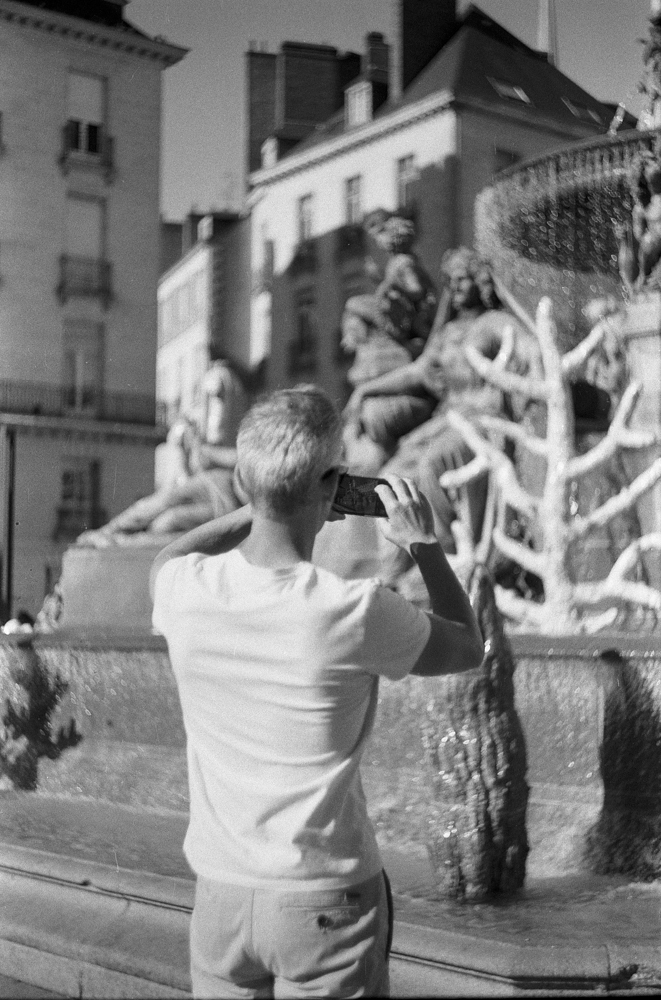
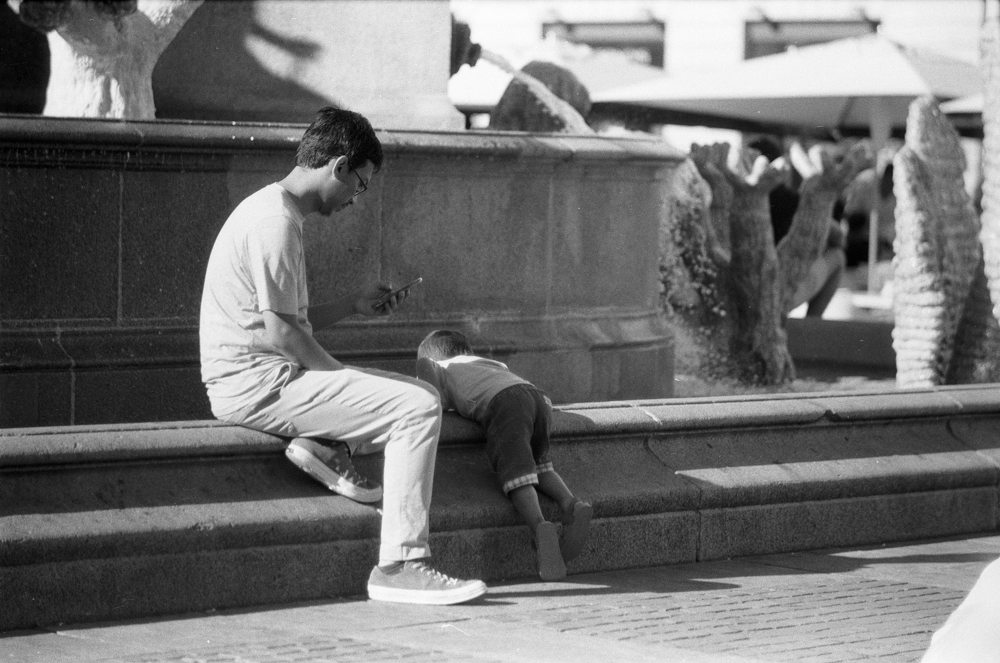
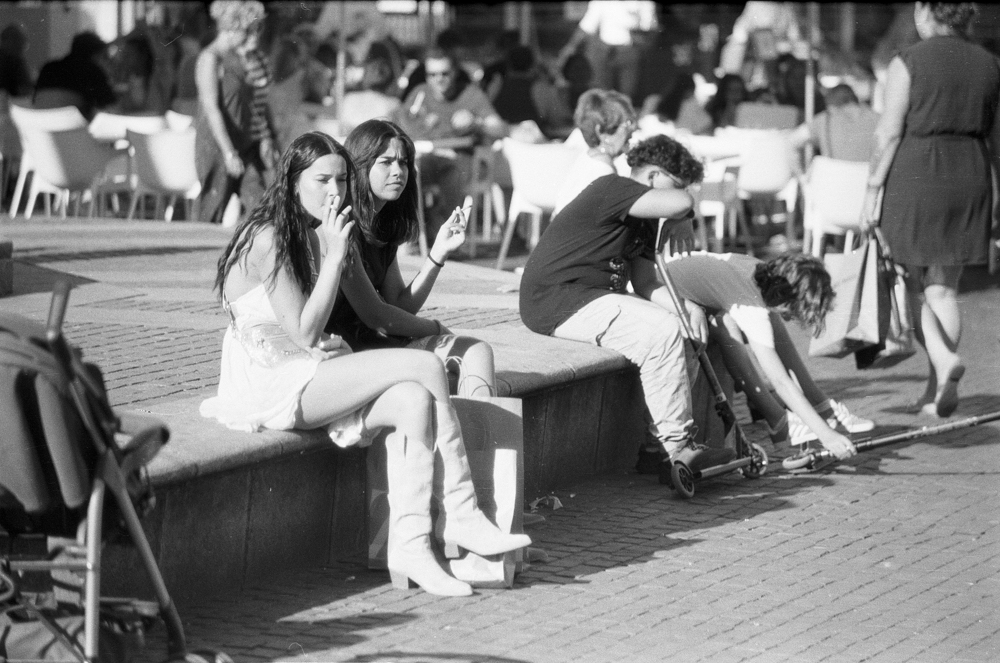
This Meisterwerk of a blog is a work in constant evolution, as I think you may have gathered, especially for those of you that have been with me since the beginning. But what does this have to do with Film photography I hear you ask. Well, when creating the film photography page I realised that there are fewer articles than I first thought. This struck me as a little odd, because at one stage I had a little bit of a reputation as a film photographer, and at one stage was purely a film photographer. This was, of course, before the start of this blog lark in 2019. Between 2009 and 2019 I did a huge amount of film photography that I realised I have not shared with you. Even more so since 2016, when I started developing and scanning my negatives at home.

The beginning of the blog also tied in with the X100F and the Canon 6D Mark II coming into my photography, and since lockdown, I have done only small amounts of film photography. Time to reveal more of myself to you. At least if that’s alright… But this isn’t just about me dusting off old memories. By sharing these photos, I hope to spark a conversation, ignite a passion for film, and maybe even inspire you to dig out your old camera and give it a whirl. Who knows what treasures you might find in your own archives?

Moped with a Jameson whiskey box  as a baggage holder.  Looks very cool
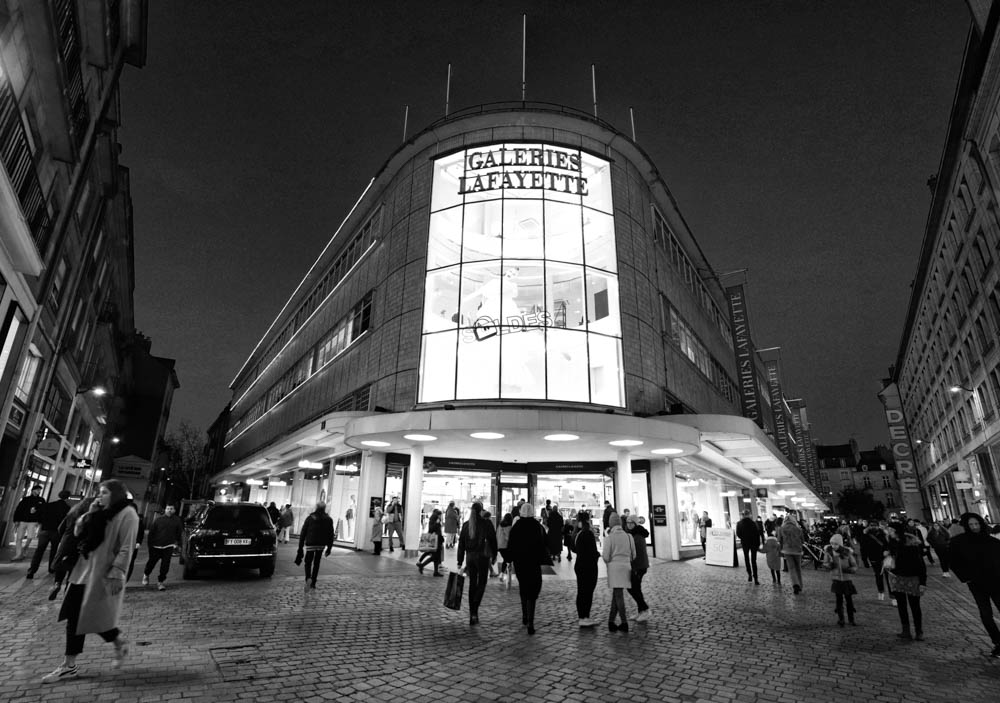
Taken on the Praktica MTL3 probably with the 50mm Pentacon F1.8 lens on HP5 Plus at box speed in the Quartier Bouffay in Nantes.

So bearing all this in mind, I have a proposal for you. Let’s open the vaults and let’s have a look at the “film archive”. This could be in the form of a series of articles complementing the weekly outpouring of anecdotes or advice, as an addition, or it could be the content for the upcoming weeks. I haven’t decided yet. Let me know in the comments which option you prefer, or if you have any other ideas for how you’d like to see the film archive content. There’ll be shots of Nantes, the UK, England, and Scotland and maybe even Spain, and Portugal. There will be colour and black and white photography too. I don’t know yet. I might not have yet taken into account the magnitude of the task ahead. Everything is open.

On the way to Otterburn in Northumberland with the Pentax ME Super using Portra 160. It was another good day out.

But whatever you decide, I hope you come along for the ride. It’ll be worth it!

Manual Mastery – a beginner’s guide Part I


How many times have I seen grown men go to pieces at the suggestion of using manual mode?  Or worse, how many times have I seen other grown men saying that to be a real photographer you have to master manual mode otherwise you’re not a real photographer?  Let me assure you that it’s not as complicated as it sounds.  When I took my first  photography lessons in 1984, I learnt it as a child.  You’ve got this, and I’m here to accompany you through the process.   As the Hitchkiker’s Guide so elegantly says, in comforting letters, “Don’t Panic!”

There are some basic concepts to understand, the first of which is the exposure triangle which we were introduced to in the Photography 101 article.  Those three things to consider are, ISO, or film sensitivity, shutter speed, aperture, and balancing them together.

Are you ready?  We’ll go step by step telling you how each of these settings influence your shot, and how we will balance them to create the image that “you” want instead of the image that your “camera” wants to take.  You are the creative boss after all.  And that is the reason that people use Manual Mode.

ISO, or film sensitivity

When I started learning photography in the last century was I was a young boy, yes I was young once, we only had film as a means to capture our images.  You would choose your film in function of the light available.  And when using my film cameras I still work in this way.  100 ASA (which is the same as ISO on modern camera) for sunny conditions, sometimes even 50 ASA, where the film can be used in bright conditions, going through to 200 ASA when it’s cloudy, but with sun shining through, to 400 ASA when overcast, 800 ASA when inside or even 1600 ASA, to 3200 ASA for night photography.  

In the film days we would talk about the presence or absence of grain and this was part of the deal.  You would get less grain the lower down the ASA range you went, and more grain the further up you went.  And this grain was a result of the crystals on the film emulsion, and the chemical developing process.  The choice could be as much about lighting conditions as an artistic decision.  Once the film you chose was in the camera however, it didn’t change until you changed your film.

Nowadays with all this modern technology palaver, you can change this ISO (because it’s digital photography) and change it for each photo.  Unfortunately the higher up you go in these values, the more “noise” you will get.  This digital noise is in a random pattern and totally unlike the grain of film photography.

Shutter speed

Shutter speed, as the words suggest, is about the speed of which the shutter opens  and closes to expose either the film or camera’s sensor.  You see, I told you that this would be simple to understand.  If I can get it, then so can you.  So now we’re on to speed.  When changing the speed of which the light hits the film or the shutter, I can freeze motion, of get a conscious motion blur, where the photo will seem animated.

Let’s say I want to take a photo of somebody running towards me. I will use a higher shutter speed to freeze the action.  Think of sports photography, of catching a  pass of a ball in rugby, or a footballer stopping a ball etc.  Those factors will make or break your image.  Imagine a photo of a football match and you can’t see the ball because it’s going faster than your shutter.  It might not work out for you.  In this situation, on my film cameras I will let the shutter curtain open for just 1/1000th of a second.  Depending on which digital camera I can go as quick as 1/8000 th of a second.

Let’s go to the other extreme.  I’m taking photos of a landscape and I want to show the motion of trees in the wind, the movement of the clouds, or the movement of water. I will use a longer shutter speed, say anything from 1/8th of a second to one second…  The subject will be moving faster than the shutter curtain, and I will get that artistic blur. 

I could be somewhere very dark, so in order to get a clear photo, I will have to let more light through onto my film or sensor.There I might have to use bulb mode in order to leave the shutter curtain for longer than 2 seconds.

For shooting a subject walking I would use 1/125th to 1/250th of a second to freeze the frame.  When using a flash in manual mode, I would aim to be around 1/60th of a second (which depends on your camera’s flash sync value).  When talking about shutter speeds I’m thinking of my film cameras  and bearing in mind that most digital cameras will have wider ranges of shutter speed.  Another tip for you would be to not let your shutter speed go below the number of your focal length (the legendary reciprocal rule).  Let’s say I’m using a 50mm lens, then I would not use a speed under 1/50th of a second, or even 1/60th of a second.  If I have a 200mm lens I would not go under 1/200th of a second. This is to counterbalance the weight of the lens and avoid lens shake.

Conclusion

This article has a lot of information in it and I have decided to separate everything and have a Part II.  In this Part I we have talked about sensitivity to light be that film, and the different ratings of films for various lighting situations.  In digital photography we have a wider range of ISO settings and with the newer cameras, the noise in an ISO 3200 setting will produce a much less grainy image than with film.  However this “grain” can be used as an artistic choice and I will let “you” experiment and see what each film gives you.

We have talked about shutter speed, and the ability to freeze an instant with a higher speed.  And the opposite of this to create motion in our image.

Next week we will talk about Aperture and how this effects depth of field and discover the rich creaminess of bokeh.  We will also explore various scenarii and give concrete examples of the effects of this triangle and how to turn it into an advantage.

Zooming In on Flexibility Part II


We have talked about the different kinds of zooms in my last article, but now I’m going to present you with concrete examples of the different zooms in my own personal set-up, and try to concentrate on the “user experience” that each lens offers.  At the end of each section there will be a slideshow to give you examples from the archives to illustrate how I have used this lens in the past.

Canon EF 16-35mm f/4 L IS USM

I remember the sheer joy of opening this, my favourite lens for my 6D Mark II and hearing it click into place on my camera’s body. It felt heavy and substantial.  It has the red ring, known to Canon users as a gauge of high quality. I was onto a good thing.  It bridged the gap between my desire to go wide and get that distinct distortion that comes with going wide, and a more conservative, more sensible 35mm focal length of my X100F.

And then I went out and tried it in the field.  Well in my bedroom anyway, being suitably amazed by the wide angle of view that I now had at my disposal.  I’d read about distortion, and had watched enough YouTube to know what I was in for.  But the first time is always special.  I soon learned how to take advantage of its capabilities, realising that getting down low could create leading lines in compositions that I had only dreamt about before.

If you have seen my Instagram, you will have seen this lens in use and how I have been able to adapt from an urban setting to getting my feet dirty in the countryside or getting them wet on the beach. I have nor regrets about this purchase.  But it, despite its many attributes, has its limits.   It is adapted to landscapes and cityscapes.  It’s great for giving a different view of the world that is more “interesting” to look at.  I have used it for portraits and taking full advantage of this aforementioned distortion.

It might well be a contender for the title of Ian’s favourite lens.  Sorry you prime purists!  

CANON EF 24-70MM F/4L IS USM

This is the lens that I actually have on my camera at the moment. Why?  Because I was out at the pub taking photos for a leaving do for two of my friends.  I needed something I could use to get general shots of the evening and that wouldn’t let me down.  This lens is a beast and a workhorse.  It gets the job done!, which is why I bought it in the first place.  I was going to be photographing a wedding for a friend of mine, and I needed something that would help me throughout the day.  I would be taking portraits, group photos, photos of the reception, and this was the classic lens for such a situation.  It has you covered.  I basically put my flash to TTL mode, and camera to program mode, and all I had to do was to get the shot.  Photographically it was a great day and I managed to get some pleasing shots for my friends. It’s also my go to lens for filming video…

It was “take your camera to work day.”  I was going to be taking pictures of timber at the factory where I work and it was still in my bag, and securely attached to my camera.  I was able to get clear shots for my boss, and the lens didn’t let me down even if I had to be in one of the darkest areas of the factory with dubious lighting conditions. This is where image stabilisation becomes your best friend. 

It was still in my car when I took my daughter and boyfriend to see their friends near Nantes.  I had just written the article about Spring Springing, and wasn’t happy digging into the archive.  I felt that this was being lazy, and that you, Dear Reader deserve better…  The camera with the 24-700mm lens on it was just sitting there begging to be let loose!  So I let it loose on the trees around the Mairie of Basse Indre, and took advantage of its “macro” function. So go and have a look at the article to see those.

CANON EF 70-300MM F/4L IS USM

I don’t have the very latest version of this article, but a more old-school version, so it’s not as super duper as the later super duper models, but it was a heck of a lot cheaper at around 150€ instead of 850€ for the newer super duper models.  But I’m not here to talk about specific model types etc, but about the focal lengths of this lens and how I  have used them in the field and my experience of using this lens.

As a small boy I was a member of the RSPB and loved seeing all the various birds in the garden but also in the countryside.  I even learnt about how to draw them.  I grew up, and now have a super duper camera with a lens that will allow me to capture these birds on camera without spooking them.  

One of my favourite outings in Nantes is taking one of the electric boats out on the river, and I have this lens with me to capture the wildlife that I know I will see.  I am by no means a wildlife photographer like the ones you see in the documentaries stalking their prey for weeks etc.  But it doesn’t stop me from trying to see what I can get without necessarily overdoing it. And even for getting shots of birds using the various feeders in my garden it’s fine!

I have used the lens after having watched YouTube videos for landscape photography using it to seek out details in the landscape.  This was definitely something new for me, and definitely a useful exercise forcing me out of my comfort zone and making me see the countryside in a different way.

It’s not the lens I gravitate to first, but I’m happy to have it as an option.  It isn’t the most modern of lenses either, but it’s certainly “good enough” for what I need it to do…  Do I regret this purchase?  No.  Is it limited in its scope?  Yes.   Am I bovvered, as Catherine Tate might say?  Still no.  Would I buy the “super duper” version of this lens?  Probably not as it doesn’t correspond to the majority of photography that I do. Photographing birds is more of a hobby and not my main photography aim in life..  

Conclusion

I think you have the information at your fingertips now to help you decide on your lens choices be that for primes or for zooms.  Those nice people in the photography shop will be more than happy to take your money from you, but now, you have the knowledge to get past the sales pitch and make an educated purchase knowing what you’re letting yourself in for.  While we’re on the subject of purchasing and investing in gear, always have the following concept at the back of your mind.   Glass is more valuable than a camera body.  Better glass on a less top of the range body will always get you better results.
But much more than the importance of gear, is the importance you get your beautiful booty off that really comfy sofa, and get out into the world with your camera and your lens and train that beautiful eye of yours to capture some awe inspiring images!

Prime Lenses: Elevating Your Photography Beyond the Basics – Part II


In my last article we explored the prime lenses in my collection and how and why I use them concentrating on my own experience with each one. I started ultra wide and am now going to head towards a narrower field of view. We’ll start with the nifty fifty, go through the Helios 44-2 58mm f2, on to the 85mm f1.8, and end on the Helios 135mm f2.8.

50mm f1.8 – the nifty fifty

Be it a digital lens or one for a film camera, this focal length is considered to be the “standard” to which all the others are compared to.  I have already mentioned my initial set from 1987 where the Pentacon 50mm f1.8 was fitted onto my Praktica MTL3.  It is the lens with which I learnt photography.  Why is it considered the “standard?”  Conventional wisdom would suggest that the view offered by the lens is the closest to the human eye.  This explains why Robert Doisneau used it extensively in his documentary photography.  Henri Cartier-Bresson is known for his ability to capture decisive moments in street photography. The 50mm focal length, with its natural perspective and good depth of field, was perfectly suited to this approach. It is also one of the more simply constructed lenses and yet still offers a great shooting experience be that digital or film shooting.

Helios  44-2 58mm f2.0 

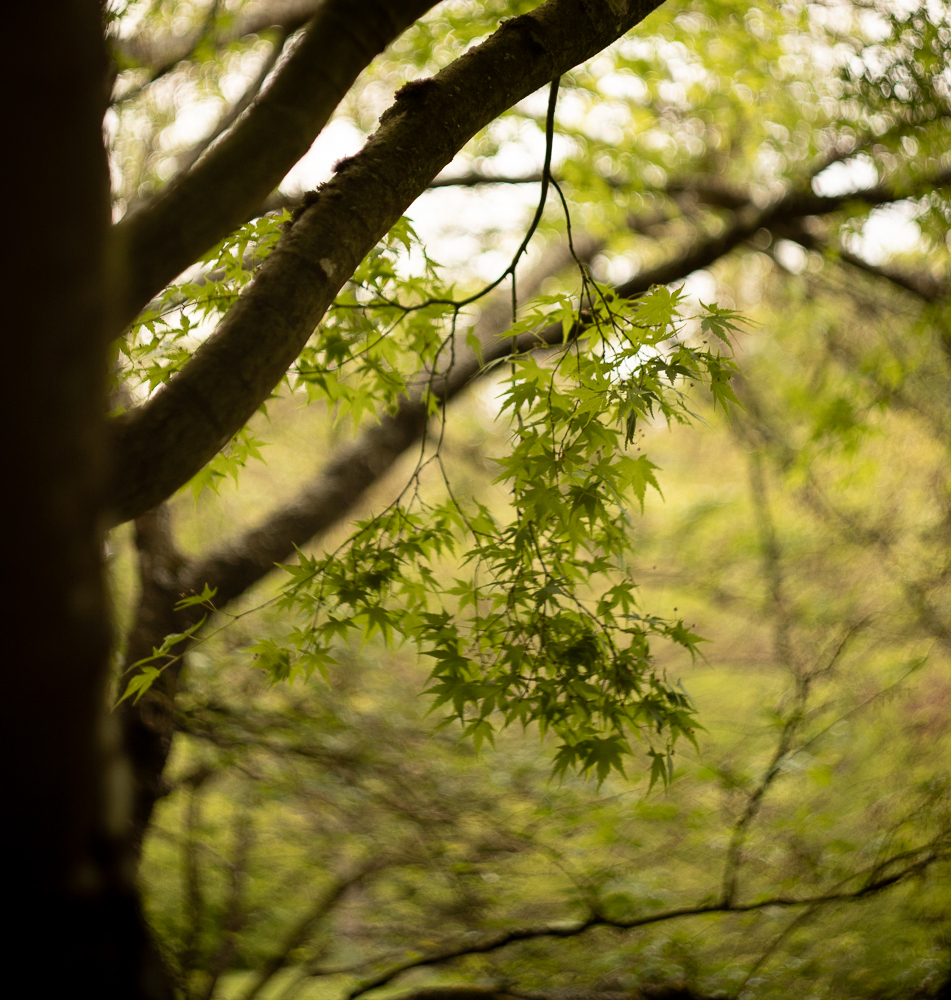
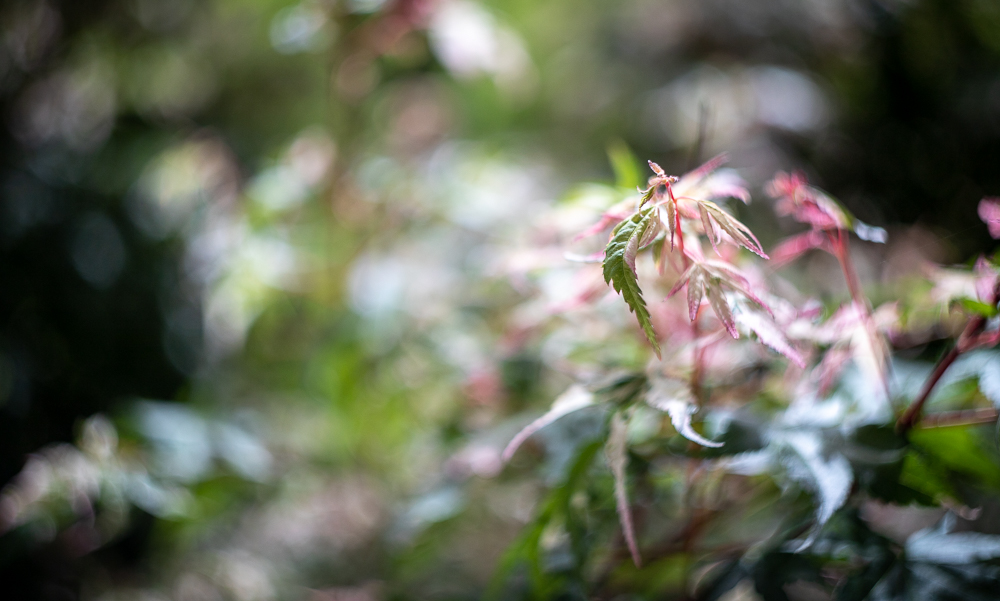
This is one of those lenses that one hears about and has a certain mythology.  It is known  most for its swirly bokeh which you can see in the images in the slideshow below.  I think mine must have cost around 50 Euros so in my mind I was thinking, you can’t go far wrong.  This swirliness adds interest to any photograph be it in an oriental garden, on in portraits.  Just enough to make the viewer have a closer look and fall even further in love with your capture.  It’s an old soviet lens and fairly solid as you can read in the article I wrote about the Helios and the Canon 6D mark II.  It is the first of my “portrait” lenses.

We’ve done the bokeh bit, now let’s talk about the focal length.  When in the studio I will start using my 50mm, but this is always ready in my bag.  But it’s not just a portrait studio lens, and I have used it on outings in Nantes.  As all “telephoto” lenses, it separates the background from the subject, and brings forward the subject to the fore.  I haven’t used it on my Praktica film camera yet and should probably do so very quickly.  It would be a shame not to after all.  As it stands I have to use an adapter for my Canon and another adapter for my Fuji XT2.  With the crop sensor on the Fuji it magically turns into an 85mm equivalent.

Canon 85mm f1.8

This is the most classic portrait lens and allows me to take a step back compared to using the 50mm.  Again, the bokeh on this lens is lovely and so creamy that it could give a rotund older gentleman a heart attack if it were cake.  But it’s not cake, so everything is fine.  When I’m in the studio I can concentrate on the eyes and by the time the portrait gets to the ears we’re in creamy bokeh territory.

However, some photographers will take this lens into the street for street portraits.  It’s not a huge lens, and thus less creepy, and allows the photographer to take a step back and still feel close to his subject.  This distance between photographer and subject contributes to a more natural interaction between photographer and model, reduces the feeling of being cramped or intrusive, and leads to a more natural interaction, which in turn leads to more natural posing and a more relaxing experience for everyone.

Helios 135mm f2.0

This is the largest of my “everyday” primes and back in 1987 it was in my bag to bring the world even closer than I could with the nifty fifty.  I was a beginner back then.  And didn’t realise the potential of telephoto lenses.  The approach is much the same as for the 85mm but allows even more distance, and is great for those intimate shots that can capture the alluring side look.  In landscape it can help you pick out details in the landscape that you can’t get closer to for practical reasons, and bringst that background that much closer to the foreground.  For those of you who don’t like manual focussing, you might want to give this one a miss.  This was a lens from an age before autofocus came along.   However on my Fujifilm XT2 this transforms into a rather snazzy 200mm lens due to it’s APSC sensor and 1.5 crop factor,  which would be a lot cheaper than a more modern equivalent, and with the focus peaking on mirrorless cameras, this can be a very convincing argument.

Conclusion.

Primes can generally be considered to be a higher quality option.  With their simpler constructions, they can offer sharper images   They generally have larger apertures, allowing for ease of use in lower light, and providing that creamy, sexy bokeh that everyone keeps mentioning.  By adding a limitation to the creative process they can help the photographer become a more deliberate and mindful craftsman, and concentrate more on composition.

However, even though individually lighter than most zooms, their collective mass may be more important if you constantly want to have every single option available in your bag.  You will be changing lenses more often, when having more to choose from.  Never forget that you are the person carrying them around.  So choose carefully, be deliberate, and plan ahead.   The results will be worth it!